
Introduction
In many surveying and reality capture projects, labor is often one of the biggest project costs.
Indoor 3D scanning tasks may traditionally require:
- Multiple operators
- Repeated coordination
- Additional setup time
- Separate checking and verification steps
- More communication during fieldwork
But in practice, much of this complexity does not always come from the scanning task itself. It often comes from workflow limitations.
As indoor scanning projects become more time-sensitive and cost-driven, one question becomes increasingly important:
Can indoor 3D scanning be completed efficiently by a single operator without sacrificing data quality?
The answer depends on how the workflow is designed.
With the right approach, single-operator indoor 3D scanning is not only possible. It can also help teams reduce coordination, improve mobility, and complete projects more efficiently.
Why Traditional Workflows Depend on Multiple Operators
Multi-person scanning setups are often seen as the default, especially in complex indoor environments.
However, the need for multiple operators is usually linked to workflow complexity rather than project size alone.
1. Device Complexity
Some traditional systems require multiple steps before and during operation.
This may include:
- Separate setup roles
- Calibration support
- Equipment positioning
- Monitoring during operation
- Additional checking during capture
When the system is difficult to manage alone, operators naturally become dependent on team coordination.
This increases labor requirements and slows down project execution.
2. Fragmented Workflow Steps
Many conventional workflows divide the task into separate stages:
- Setup
- Scanning
- Verification
- Adjustment
- Rechecking
- Post-processing review
Each transition may require communication between team members.
When tasks are handed off between operators, the workflow becomes slower and less flexible.
In indoor environments, where rooms, corridors, corners, and obstacles require frequent movement, fragmented workflows can make the task harder than necessary.
3. Limited Visibility During Capture
Without real-time feedback, one operator may capture the data while another person checks the result later.
This creates a separation between scanning and validation.
The problem is simple:
If the operator cannot confirm coverage during scanning, the team may need another person to verify whether the scan is complete.
This makes single-operator scanning more difficult and increases the risk of delayed corrections.
4. Indoor Constraints
Indoor environments often include tight spaces, obstacles, furniture, equipment, narrow passages, and multi-room layouts.
In these situations, more people do not always mean higher efficiency.
In some cases, a larger team may reduce mobility because operators need to coordinate movement, avoid blocking each other, and communicate frequently in limited spaces.
For many indoor scanning projects, a simpler and more mobile workflow can be more effective.
A More Efficient Approach: Single-Operator, Continuous Capture
A more effective workflow is built around one simple principle:
One operator should be able to plan, capture, verify, and complete the scan in a single continuous process.
This requires a workflow that supports:
- Minimal setup
- Stable tracking
- Real-time feedback
- Integrated data capture
- Continuous movement
- Immediate validation
Instead of dividing tasks across several people, the workflow consolidates them into one streamlined process.
For indoor 3D scanning, this can reduce labor cost, shorten project time, and make fieldwork easier to manage.
Key Execution Steps
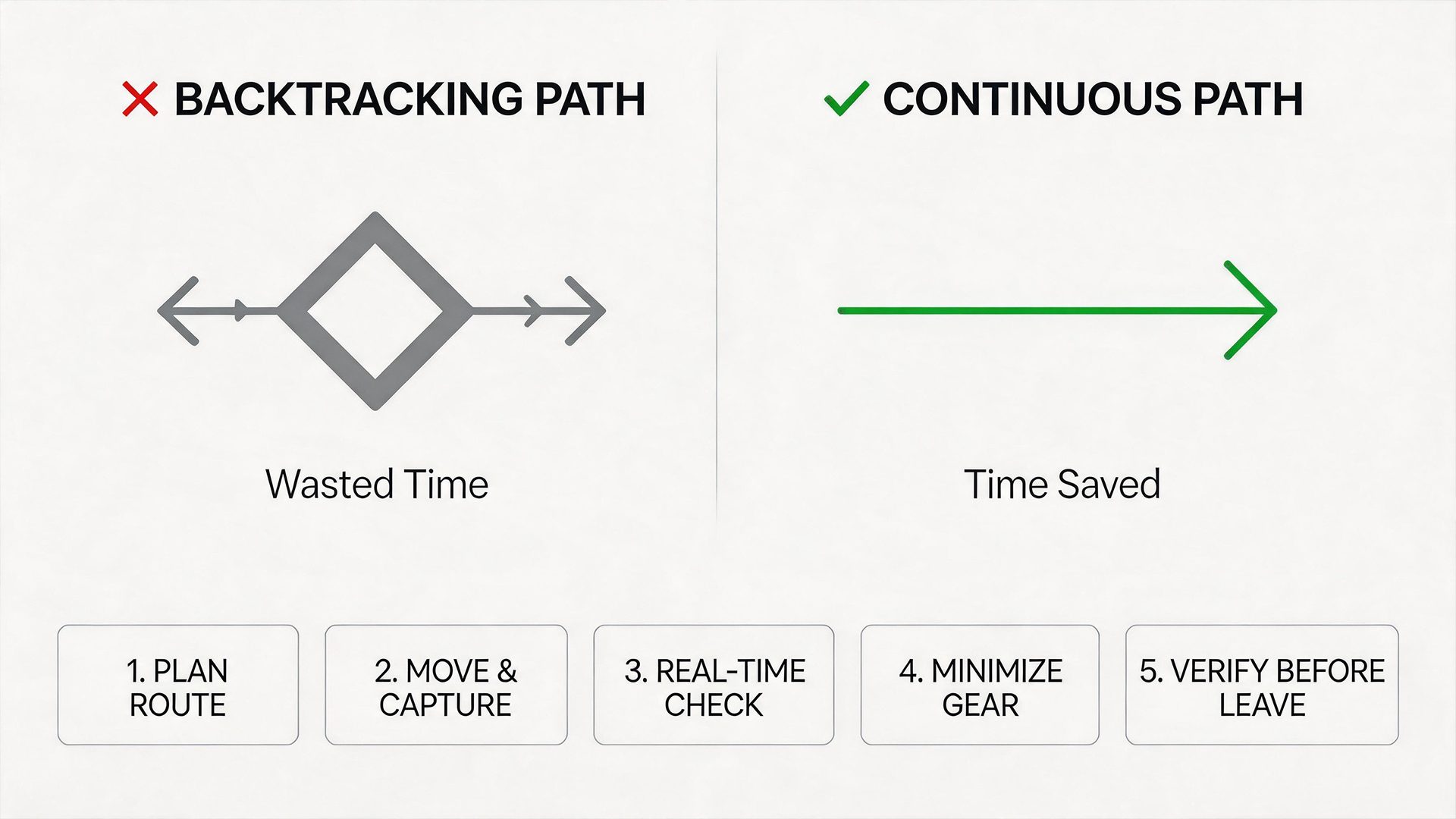
Step 1: Plan a Logical, Continuous Route
Before starting the scan, the operator should define a clear path through the space.
A good route should:
- Cover all key rooms and areas
- Reduce unnecessary backtracking
- Include corners, transitions, and narrow spaces
- Avoid abrupt route changes
- Keep the scanning process continuous
A well-planned route helps reduce both time and cognitive load.
For a single operator, this is especially important because the same person must manage movement, coverage, and quality awareness during the scan.
Step 2: Capture While Moving, Not Stopping
Single-operator efficiency depends on continuity.
Instead of stopping frequently, the operator should maintain a smooth scanning rhythm.
During capture, try to:
- Avoid stop-and-go scanning
- Maintain a steady walking speed
- Keep the device orientation stable
- Move smoothly through transitions
- Let the system capture data dynamically
Continuous capture eliminates unnecessary pauses and helps the operator complete the task more efficiently.
This is especially useful in indoor projects where repeated stopping can interrupt tracking, increase checking time, and slow down the entire workflow.
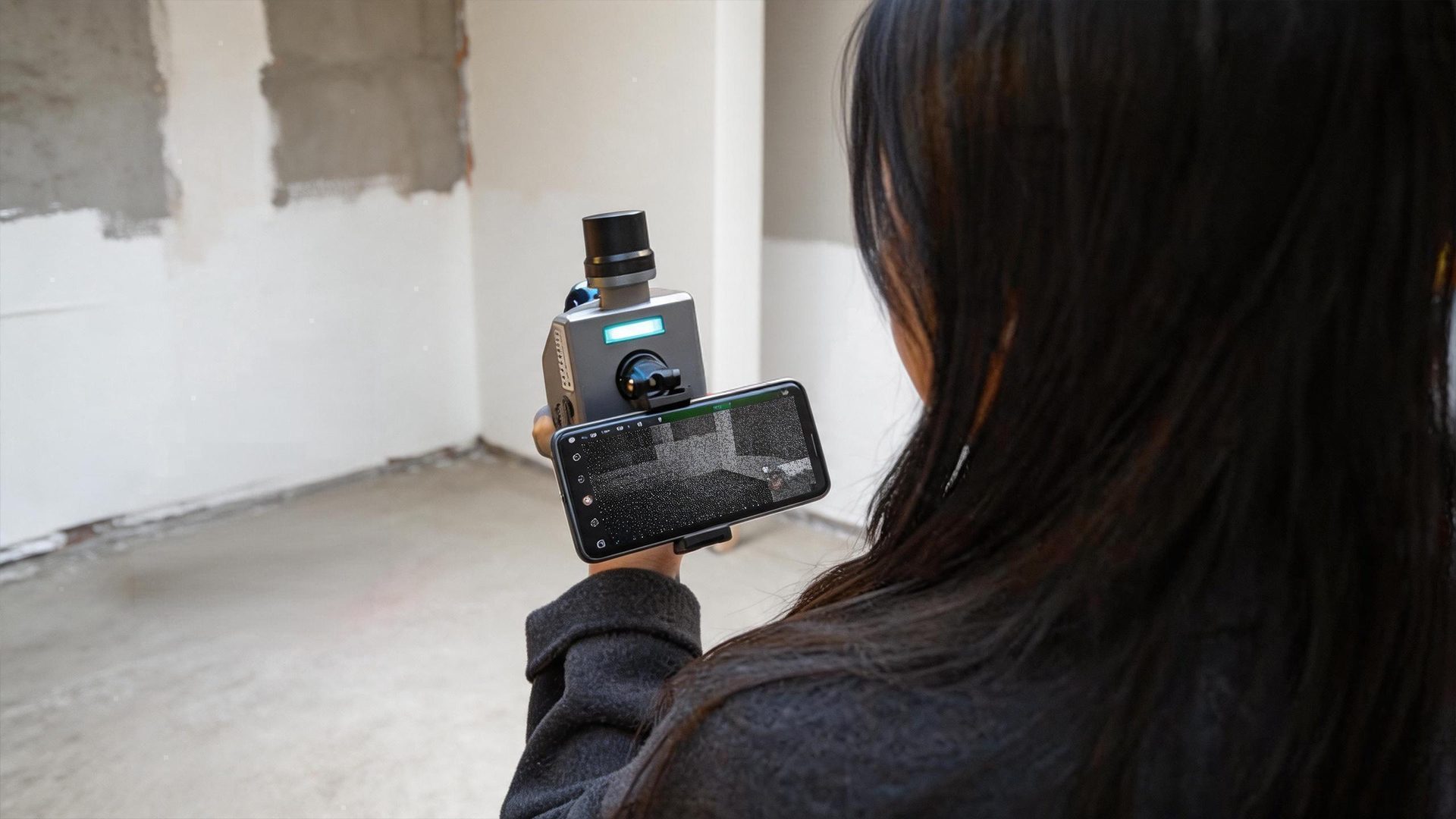
Step 3: Use Real-Time Feedback for Self-Validation
A single-operator workflow depends heavily on real-time visibility.
Instead of relying on another person to check data later, the operator should validate the scan during capture.
Real-time feedback helps the operator:
- Check coverage while scanning
- Identify missing areas immediately
- Confirm whether important spaces are captured
- Adjust the route when needed
- Reduce the need for post-scan correction
This turns validation into part of the scanning process.
When the operator can see what has already been captured, it becomes easier to complete the task confidently without additional support.
Step 4: Minimize Equipment Dependencies
A single-operator workflow works best when the equipment setup is simple.
The fewer external dependencies involved, the easier it is for one person to manage the entire task.
A more efficient setup should reduce the need for:
- External markers
- Additional setup tools
- Complex calibration steps
- Repeated device adjustments
- Extra monitoring equipment
Reducing dependencies simplifies execution and allows the operator to stay focused on capture quality and coverage.
For indoor environments, this also improves mobility and reduces setup time.
Step 5: Complete and Verify Before Leaving
At the end of the scan, the operator should review the captured result before leaving the site.
This final check should confirm:
- The full area has been captured
- Key rooms and transitions are complete
- Critical corners and edges are covered
- No obvious gaps remain
- The dataset is suitable for the intended deliverable
This step is important because single-operator scanning should not mean skipping verification.
The goal is to complete both capture and validation in one visit.
What Determines Whether Single-Operator Scanning Works
Not every workflow can be handled effectively by one person.
Whether single-operator indoor scanning works depends on several key factors.
Workflow Simplicity
The fewer steps required, the easier it is for one operator to manage.
A simple workflow reduces confusion, shortens setup time, and makes the scanning process more repeatable.
Real-Time Data Visibility
Without immediate feedback, a second operator is often needed for verification.
Real-time point cloud visualization allows the operator to check coverage, spot gaps, and adjust the scanning path during the task.
This is one of the most important factors in successful single-operator scanning.
Device Mobility
Lightweight, handheld systems are significantly easier to operate solo.
A mobile system allows one operator to move through rooms, corridors, stairs, and narrow areas with fewer interruptions.
This is especially important for indoor scanning projects where space is limited.
Tracking Stability
Reliable motion tracking reduces the need for repeated passes or corrections.
Stable tracking helps the operator maintain confidence during movement and improves the consistency of the final dataset.
When tracking is reliable, the workflow becomes easier to manage alone.
Why Single-Operator Workflows Are Becoming Standard
Modern handheld scanning systems are increasingly designed to support more efficient field workflows.
These systems often combine:
- LiDAR-based geometry capture
- Vision-assisted positioning
- IMU-based motion tracking
- Real-time point cloud visualization
- Mobile-based operation and control
This enables one operator to capture geometry, monitor quality, and adjust the scanning path in real time without external assistance.
In practical use, this can lead to:
- Lower labor costs
- Faster project completion
- Greater flexibility on site
- Fewer coordination delays
- More efficient indoor data capture
- More predictable project outcomes
The result is not simply a smaller team.
It is a simpler and more efficient workflow.
Where Single-Operator Scanning Delivers the Most Value
Single-operator indoor scanning is especially effective when project speed, flexibility, and mobility matter.
Typical application scenarios include:
- Small to medium indoor projects
- Multi-room residential spaces
- Commercial interiors
- Equipment rooms and industrial interiors
- Renovation projects
- As-built documentation
- Indoor mapping tasks
- Sites with limited access windows
- Projects with tight schedules
In these cases, reducing team size can improve efficiency rather than limit it.
A single operator can move faster, make decisions immediately, and complete the scan with less coordination overhead.

Conclusion
Single-operator indoor 3D scanning is not about doing more work alone.
It is about removing unnecessary complexity from the workflow.
By combining continuous capture, real-time validation, integrated sensor workflows, and simple field execution, teams can complete indoor scanning projects faster with fewer resources and more predictable results.
For modern indoor reality capture, efficiency does not always come from adding more people.
It often comes from simplifying the workflow so one operator can plan, capture, verify, and complete the job with confidence.